Table of Contents |
Podium Walker Videos: Design and Animate, 4 part video
Podium Browser Videos- Paid Content Video Series
SU Podium V2 - Introduction Videos |
| Back to Help Videos TOC |
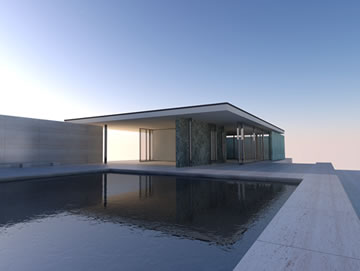 |
SU Podium V2 Quick OverviewThis video introduces you to the basic features of SU Podium V2 including ray-tracing, global illumination, blurred and direct reflections, physical sky, refraction, caustic effect, automatic materials and SU Podium Browser. This is not a tutorial but a quick overview of what you can expect from SU Podium V2. Resolution on this video is 480 X 360 and is embedded in this page. |
 |
Introduction to SU Podium V2's user interface and featuresVenture into the world of SU Podium V2. SU Podium is one of the most advanced photon mapping (ray-tracing) and global illumination rendering plug-ins for SketchUp. The results high quality images to delight your customers and clients. This video examines V2's user interface and presents and overall feature introduction. The video is seven minutes long. If you prefer to watch shorter, specific sections of the video, please check below.
Shorter Subsets - Introduction to SU Podium V2's user interface - six short videos. Note all videos are in HD |
| Back to Help Videos TOC |
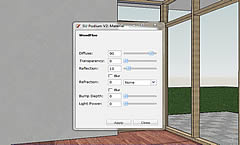 |
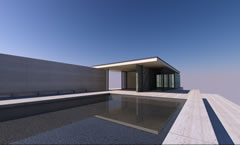
Applying Podium propertiesIn SU Podium V2, reflections and other rendering properties are applied to textures in the model. This video examines how to apply reflections. Don't or can't access YouTube?Click here to download the Flash version of this video |
 |
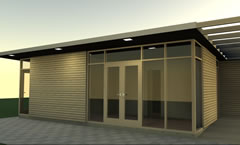
Sun and Sky Light - Natural lightsIn SU Podium V2, there are two types of "natural" lights. Sun and Sky. Take a look at how to apply these lights. Don't or can't access YouTube?Click here to download the Flash version of this video |
 |
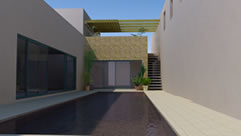
LEM LightingIn SU Podium V2, there are three types of "artificial" lights. This video tutorial presents LEM lighting. Don't or can't access You Tube? Watch the Flash version directly in your Browser |
 |
Automatic MaterialsAutomatic materials is a feature where predefined Podium reflection, blur, refraction properties are applied automatically to most of SketchUp's standard materials. SketchUp standard materials are the materials that you get when you install SketchUp. Don't or can't access You Tube? Download the .mp4 video directly |
| Back to Help Videos TOC |
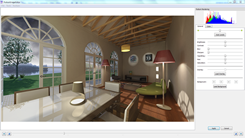 |
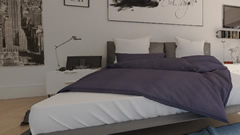
SU Podium V2.5 Plus - Podium Image EditorPodium Image Editor is a new feature of V2.5 Plus. It provides post-processing, image editing to quickly edit your rendered image within SketchUp Read and view videos in the SU Podium V2 Plus information page. Click Here. |
 |
SU Podium V2.5 Plus - PanoramaVRShock and awe your clients with PanoramaVR. Read about Panorama here. Click Here. |
 |
Podium Walker - design and animate photo-realisticallyA four part video series that explorers designing with Podium Browser render-ready components and visualizing with Podium and Podium Walker. |
| Back to Help Videos TOC |
Click on each thumbnail to link to specific video tutorial web page
|
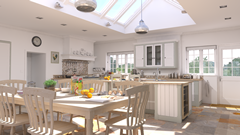
Inspiring New Kitchen Design with PB and SU Podium V2A full kitchen/ dining room designed from the ground up in SketchUp using Podium Browser components and visualized with SU Podium V2. Nat Ellis' beautifully presented model is turned into a video with several design stages presented to the viewer. |
|
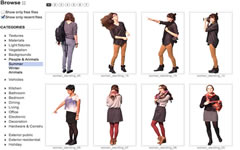
Podium Browser 2 - New User InterfacePodium Browser is a plug-in for SU Podium V2. It contains a Free content and Paid content. The thousands of pre-defined podium materials, advanced light fixtures, furnishings, 3D trees from the Paid section, can quickly turn your SketchUp model into a photo-realistic image. Podium Browser's user interface has changed with Podium Browser 2. |
|
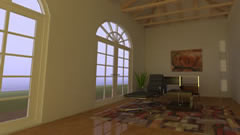
Introduction to Podium Browser Paid Section (based on older UI)SU Podium Browser is a plug-in for SU Podium V2. It contains a Free section and a Paid section. The thousands of pre-defined podium materials, advanced light fixtures, furnishings, 3D trees from the Paid section, can quickly turn your SketchUp model into a photo-realistic image very quickly. |
|
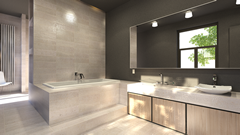
Podium Browser: Designing bathrooms in SketchUp? We got you covered!SU Podium Browser Paid Section now has thousands of render ready materials and components that make interior and exterior design easy to develop and even easier to turn into realistic images. This video tutorial examines materials and components that make modeling and rendering a bathroom a snap. |
|
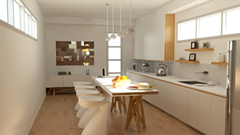
Podium Browser: Designing kitchens in SketchUp ? We got you covered!SU Podium Browser Paid Section now has thousands of Podium render ready materials and components that make interior and exterior design easy to develop and even easier to turn into realistic images. This simple tutorial will show examples of Podium Browser kitchen design components that can be instantly dropped into your SketchUp model and turned into high quality images. |
|
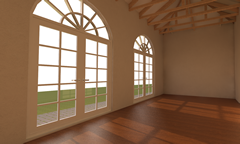
Podium Browser Materials- how the cube workSU Podium Browser material section now has hundreds of Podium Materials that are material files with Podium render-ready properties on them. Podium Materials are dropped in to SketchUp as cubes. How and why does that work? This simple tutorial will show how the material cubes work and how easy it is to get high quality render ready materials into your model. |
|
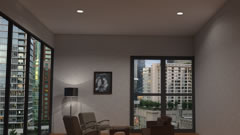
Podium Browser Auto-cut Recessed Lights.The recessed lights use an auto-cut feature to make inserting extra easy All of the recessed lights in Podium Browser use SketchUp auto-cut feature. These auto-cut holes in the ceiling and walls for the recessed lights to be placed in. |
|
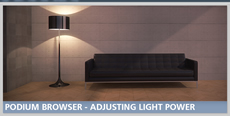
Adjusting light power in light fixtures.Examine how to change the light power in the point and spot lights in Podium Browser light fixtures |
|
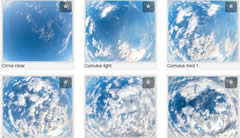
Use spherical cloud domes to enhance exterior lightingExamine how to use Podium Browser cloud domes inside SketchUp to obtain realistic Panorama renderings. |
| Back to Help Videos TOC |
SU Podium - How to use the Omni Grid plug-in |
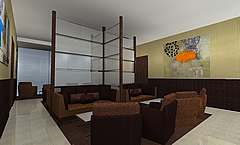 |
How to use the Omni Grid plug in. This video is based on Podium 1.7 but it essential the same for SU Podium V2. This examines how to apply the Omni Grid free plug-in. All the lighting in the image on the left was created by Omni Grid.
Omni Grid can be downloaded from the Download Page.
Click the image on the left or click You Tube |
SU Podium Render All- Animation with SU Animate |
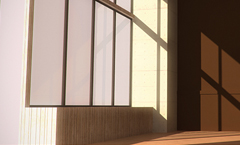
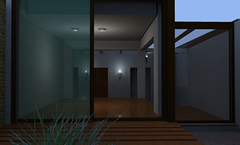 | Create photo-realistic video animations using Podium's Render All and SU Animate. Click on the image on the left to view the detail tutorial. |
 |
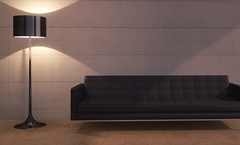
Fix it in Post: Basic Photoshop Light Bloom Tutorial In this quick tip we delve into some basic post-processing, and discuss how we can add "light bloom" to a Podium render. Light bloom is used quite frequently in modern architectural visualization, and when applied correctly it can liven up an image with very little effort. Click the image on the left or click here to view the tutorial. |
 |
Podium Browser Light Fixtures - Adjusting Light Power Our Podium Browser light fixtures are calibrated according to manufacturer specifications to provide natural, realistic results right out of the box. However it's always nice to know how to make small tweaks when necessary to help you achieve a perfect lighting solution. In this quick tip, we cover light power and explain the process for adjusting the brightness of a Podium Browser light fixture. |
| Back to Help Videos TOC |